START HERE
In MealPot, go to Recipes → + → Import Recipe. Paste a single Mealime recipe link, tap Import, then review the details and choose Save to My Recipes. Both short and full Mealime recipe links work.
How to import Mealime recipes into MealPot.
Copy. Import. Make it yours.
Bring your favourites over one recipe at a time. Check the servings, amounts and cooking steps before saving.
Get MealPot for iPhone & iPad ↗Recipe import requires MealPot Pro.
Read the video description
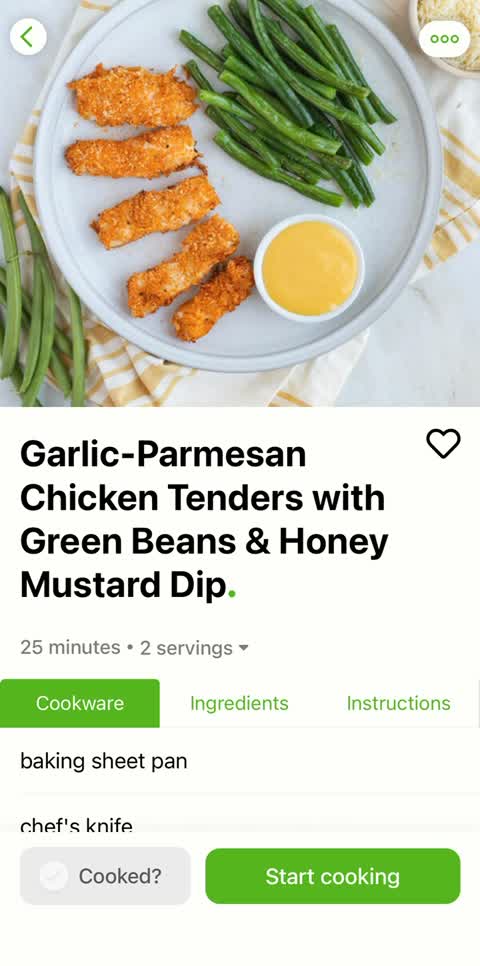
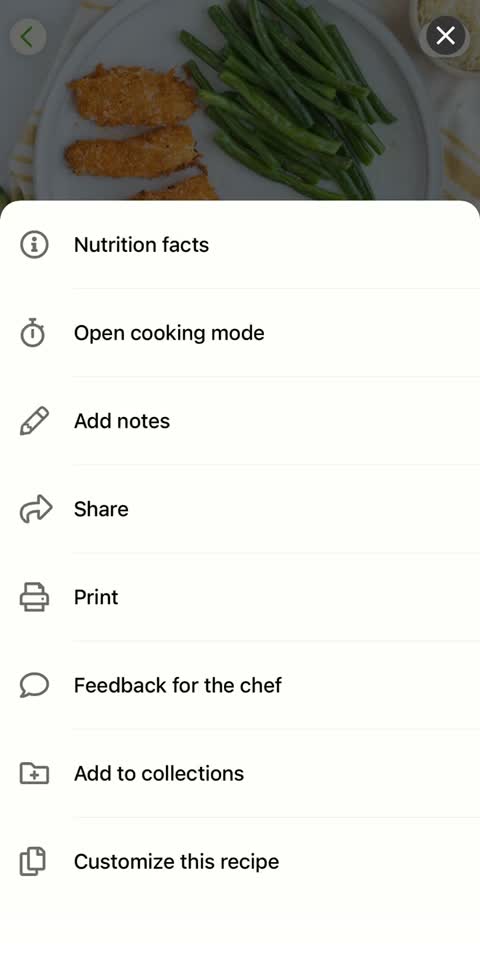
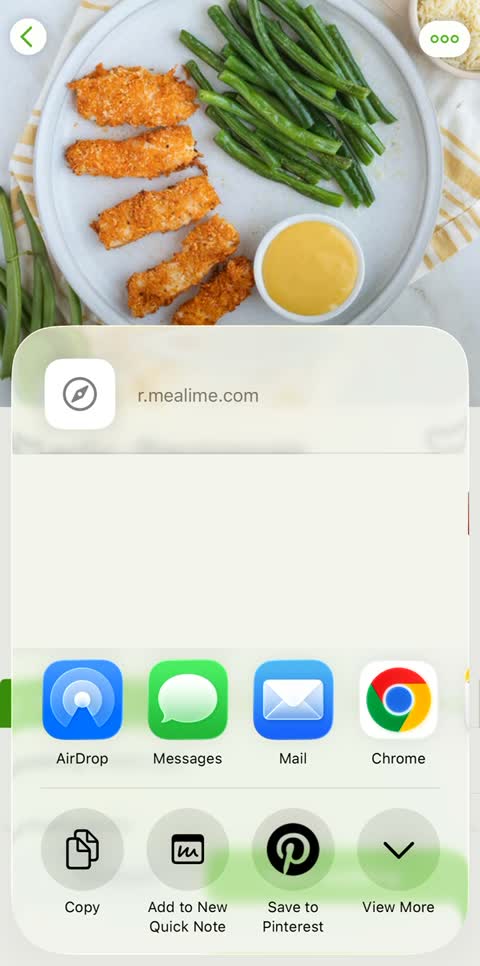
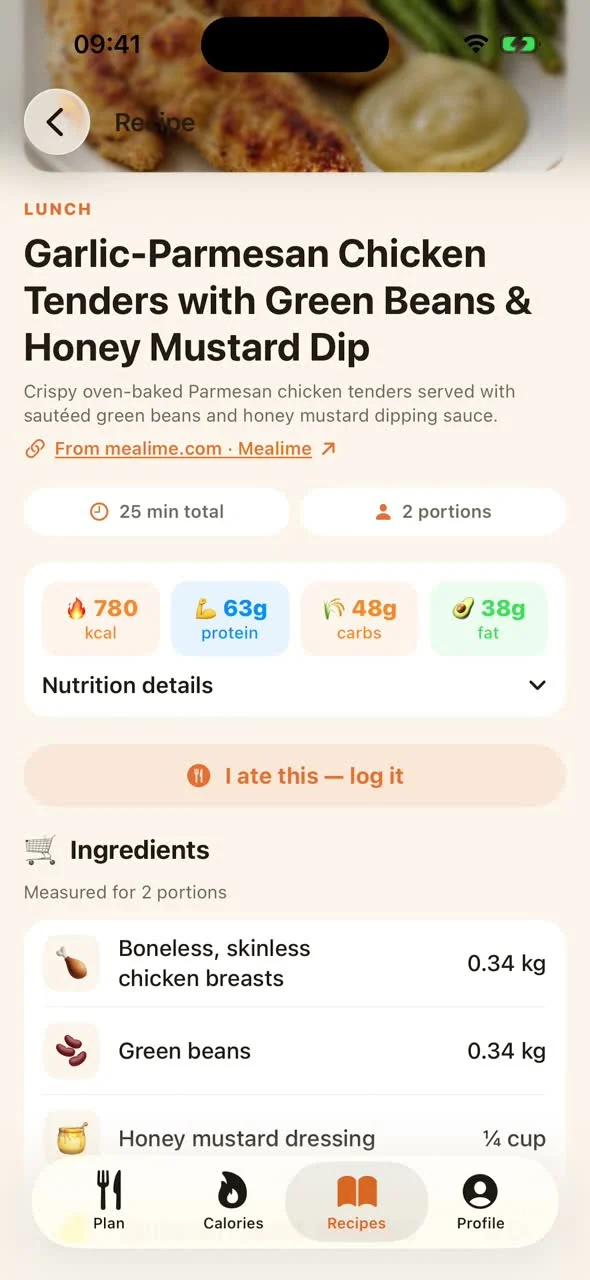
The video opens with an overhead chicken dish and the words “That crunch. On repeat.” A chicken tenders recipe is then opened in Mealime. Share opens the iPhone share sheet, where Copy keeps its link. In MealPot, the link is entered into Import Recipe. The recipe appears for review with two servings, 25 minutes and ingredient amounts. Save to My Recipes adds it to the Recipes tab, where it is opened again.
1. Copy the link from Mealime.
Open a recipe, tap the three dots in its upper-right corner, then choose Share. In the iPhone share sheet, tap Copy. Depending on your version, the wording may be “Copy URL.”
Show where to find Share and Copy in Mealime
2. Import, review and save in MealPot.
Have your link ready and open MealPot. These five screens show the chicken tenders example below. Copy its link to follow along. Recipe import requires Pro.
STEP 1 OF 5
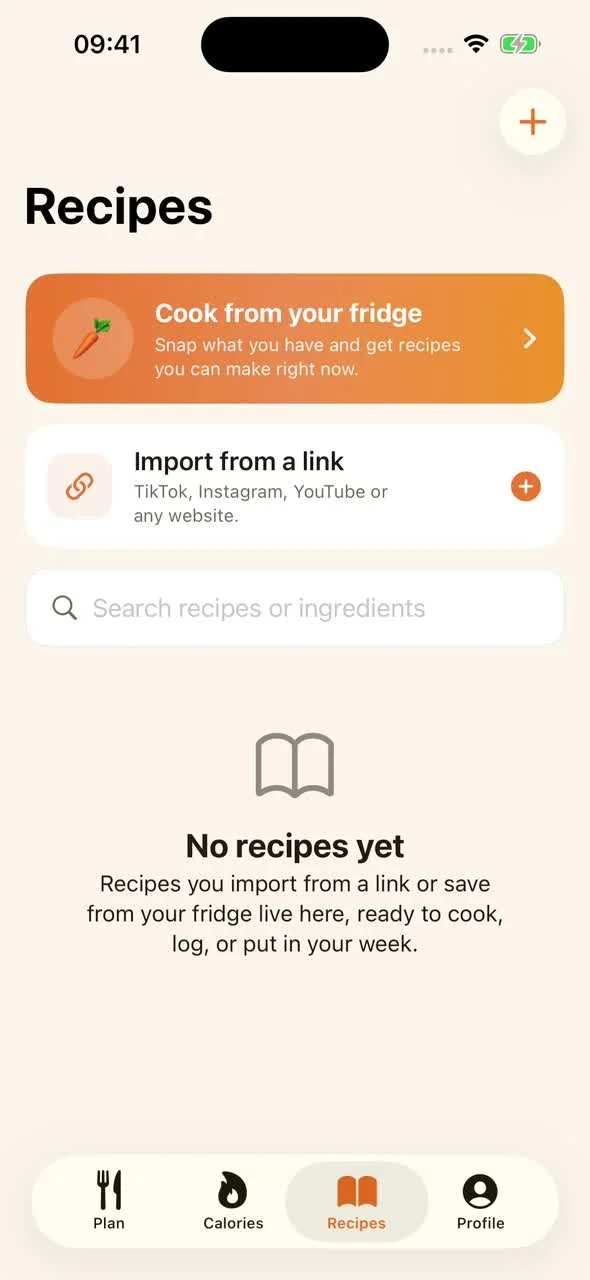
Open Recipes.
Open MealPot and choose Recipes from the bottom bar. This is where recipes you import will live, ready to open again.
It is fine if your collection is empty. You can start with a single favourite.
STEP 2 OF 5
Choose Import Recipe.
Tap + in the upper-right corner. You can also choose Import from a link on the Recipes screen.
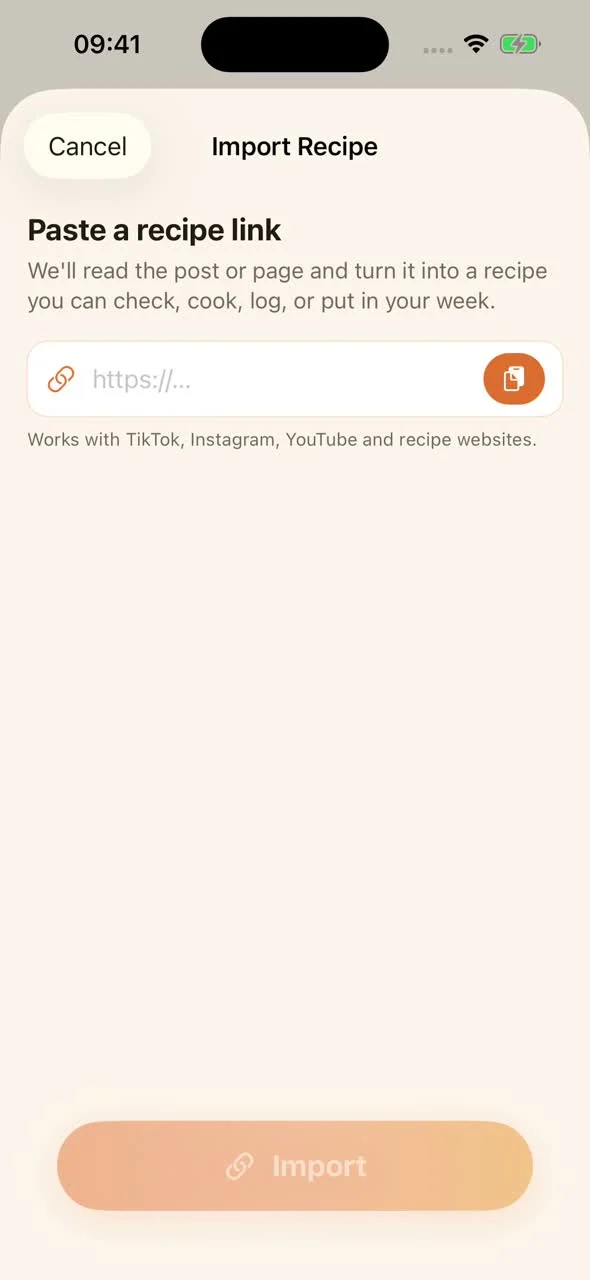
The Import Recipe screen asks for a link. Recipe import requires MealPot Pro. Keep your copied Mealime link ready.
STEP 3 OF 5
Paste your link and import.
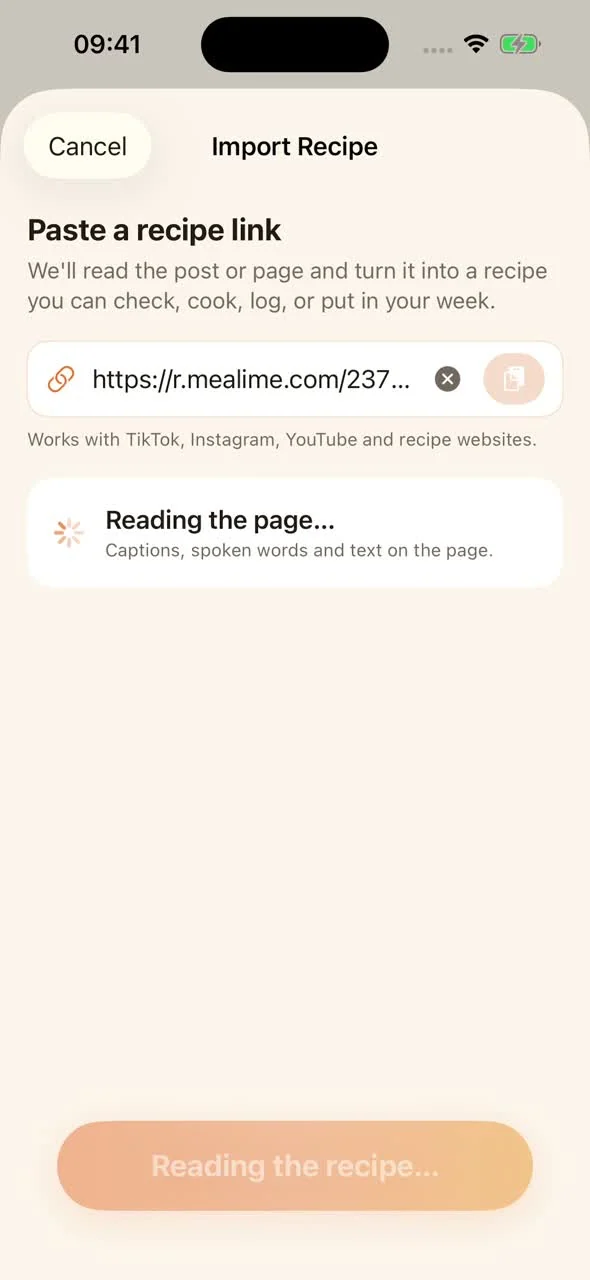
Paste the complete link, then tap Import. The short link from Mealime’s Copy button works, including https://r.mealime.com/23773.
Leave the screen open while MealPot reads the recipe. When it is ready, the review screen will appear.
Open it in your browser first. If it no longer opens the recipe there, copy a fresh link from Mealime and try again.
STEP 4 OF 5
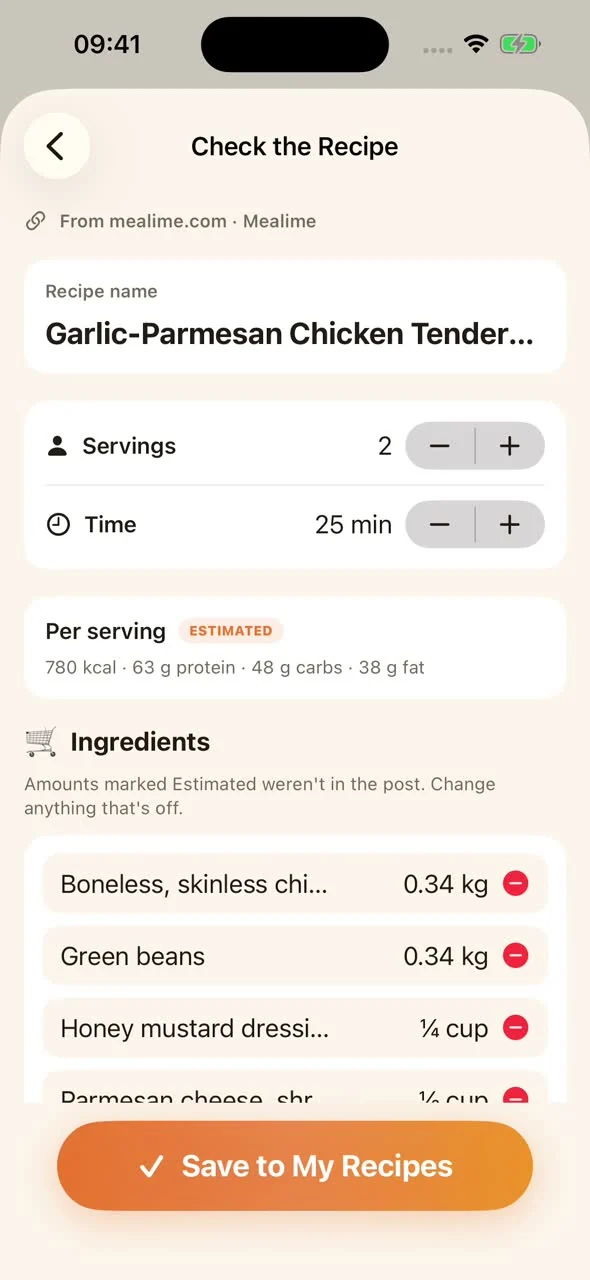
Check the details before saving.
Match the recipe name, servings and cooking time to the original. Scroll through the ingredients and every cooking step.
- Amounts: check both the quantity and its unit, such as ¼ cup or 0.34 kg.
- Estimated: MealPot has filled in an amount that was not supplied. Compare it with the original and edit it if needed.
- Nutrition: values marked Estimated are estimates, rather than verified nutrition from Mealime.
Tap an ingredient name or amount to correct it. Use the servings controls if the portion count is wrong.
STEP 5 OF 5
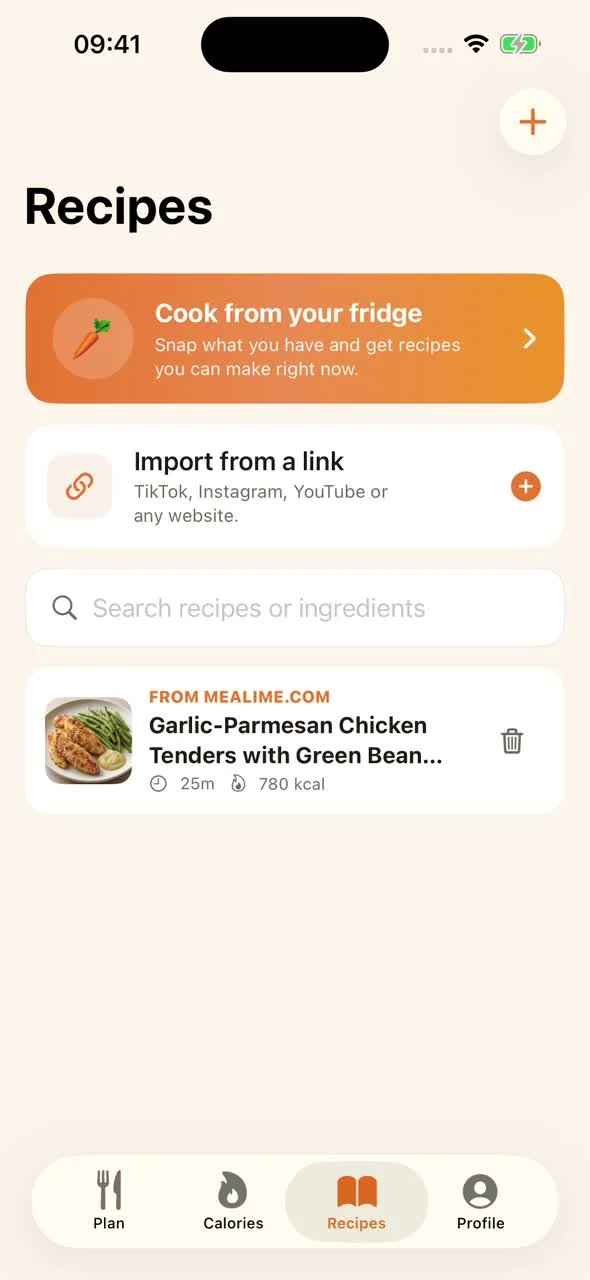
Save it to your recipes.
Tap Save to My Recipes. Back in Recipes, your imported dish appears as a recipe card.
Open that card to see the saved ingredients and method. The source link lets you return to the original recipe whenever you need to compare a detail.
Choose the saved recipe when replacing a meal in your plan. Check the portions and shopping quantities for the people you are cooking for.
What this example preserves.
The public Mealime recipe and the MealPot review and saved screens shown here agree on these details. This is a comparison of this one example, checked on 12 September 2026.
| Detail | Mealime source | MealPot screens |
|---|---|---|
| Servings | 2 | 2 |
| Total time | 25 minutes | 25 minutes |
| Chicken | 0.34 kg | 0.34 kg |
| Green beans | 0.34 kg | 0.34 kg |
| Honey mustard dressing | ¼ cup | ¼ cup |
The source lists some pantry ingredients without quantities. MealPot marks amounts it fills in as Estimated; its review screen also labels nutrition as estimated. Review those separately before saving. The saved recipe retains a link to Mealime.
Enlarge the review screen and its Save to My Recipes button
Compare with the original Mealime recipe ↗
Copy a real recipe link.
YOUR FIRST IMPORT
Garlic-Parmesan Chicken Tenders with Green Beans & Honey Mustard Dip
2 servings25 minutes
A familiar favourite to try first: chicken tenders, green beans and honey mustard dip.
Open MealPot → Recipes → +, paste this link and tap Import. Check any amounts marked Estimated before saving.
See the original recipe ↗Prefer a file? Save a free backup.
Pick a recipe. Watch it import.
Grilled chicken or roasted-tomato gnocchi? Watch either recipe arrive in MealPot, then copy its link and try it yourself.
Grilled Chicken Skewers with Spicy Plum, Tomato, Corn & Feta Salad
4 servings · 40 minutes
Open the original recipe ↗Gnocchi with Roasted Grape Tomatoes, Basil, Parmesan & Balsamic
4 servings · 40 minutes
Open the original recipe ↗Paste the link in MealPot → Recipes → + → Import Recipe. Check the details before saving, including anything marked Estimated. Recipe import requires MealPot Pro.
Need a hand?
| What you see | What to do |
|---|---|
| The link will not open. | Copy it again from Mealime and check that the original recipe still opens in your browser. |
| Missing or estimated amounts. | Compare with Mealime’s ingredients and cooking steps. Adjust the amounts before saving. |
| The servings look wrong. | Check the original recipe and adjust the servings on the review screen. |
| A Pro offer opens. | Recipe import requires MealPot Pro. Review the price and billing period shown before subscribing. For a file without subscribing, use the free backup tool. |
| You have reached today’s import limit. | Keep the link and try again tomorrow. |
| You are offline, or MealPot cannot reach its import service. | Reconnect if you are offline. If the message says the service is unavailable, keep your link and retry in a few minutes. |
| You downloaded a backup. | To add the recipe to MealPot, paste its original recipe link into the app. |
Common questions.
Is MealPot recipe import free?
Import is part of MealPot Pro; the app shows the price and billing period before you subscribe. If you only want a readable copy of a recipe, the website backup tool is free and needs no account.
How many Mealime recipes can I import?
One link at a time, and each import is a recipe you review before saving. A daily import limit applies; keep any extra links and continue another day.
Does importing move my whole Mealime account?
No. Import brings over an individual recipe through its public link. It does not transfer your Mealime login, favourites collection, past meal plans or account settings.
Can I import Mealime recipes on Android?
MealPot is for iPhone and iPad. For an Android-friendly route, Meals Hub keeps the Mealime catalogue inside Albertsons Companies apps, or use the browser backup from any device.
Make it part of your week.
Open your saved recipe whenever you want to cook it. To add it to your plan, choose it when replacing a meal, then check your shopping list.
Bring your first favourite into MealPot.
Get MealPot for iPhone and iPad, then open Recipes → +. Recipe import requires Pro; the app shows your subscription terms before purchase.
Moving more than recipes? Follow the switch checklist.