QUICK ANSWER
MealPot turns an editable weekly meal plan into one grocery list grouped by section. Check what is already in your kitchen and review quantities before shopping. The app is a free download for iPhone and iPad; Pro unlocks full meal planning and recipe import. It is not an Android app.
One flow from dinner ideas to the shop.
Plan the week.
Set your household portions, preferences and budget target. Review the suggested meals and swap dishes that do not fit your week.
Check the list.
Open the shopping list attached to the plan. Read ingredient quantities, check what you already have, and take the remaining items to your preferred store.
Cook from the recipe.
Open the selected meal to follow its ingredients and steps. Review any recipe imported from a link before relying on its amounts or instructions.
A shopping list is only useful if it reflects the meals you will cook. Set portions before building the list, then add breakfasts, snacks and household items you also need. Our aisle-list walkthrough shows how to merge ingredient amounts and subtract pantry stock.
See the real app screens.
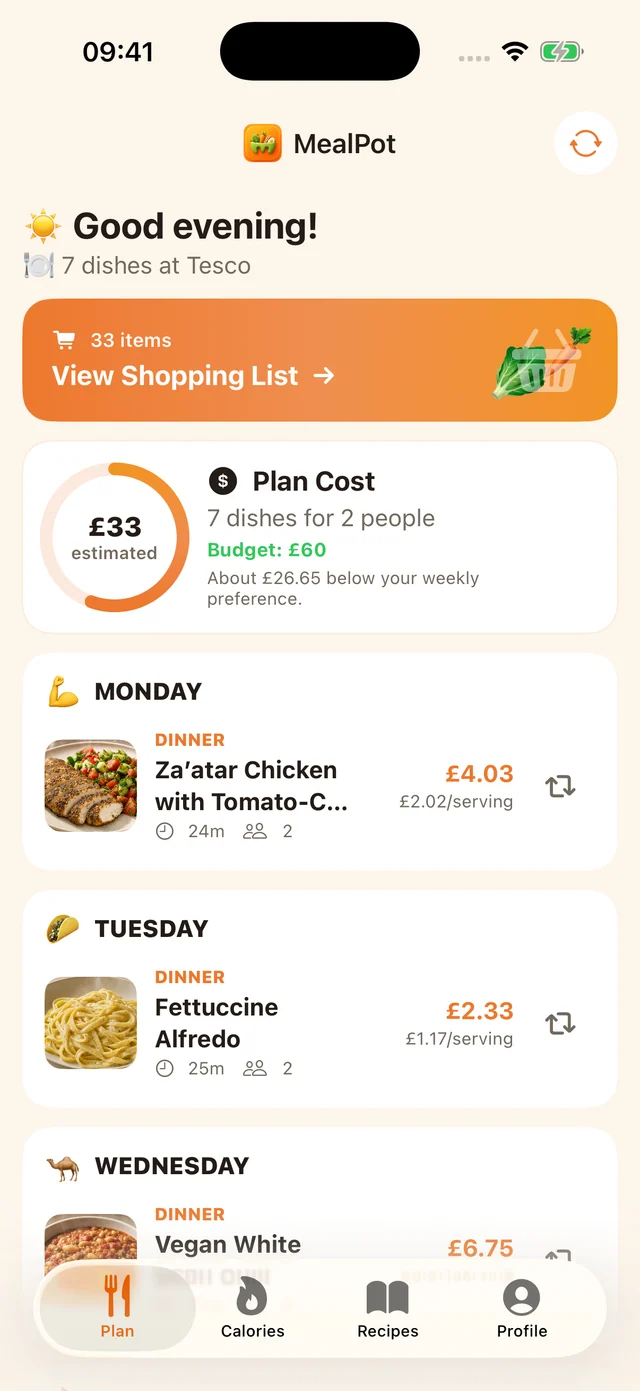
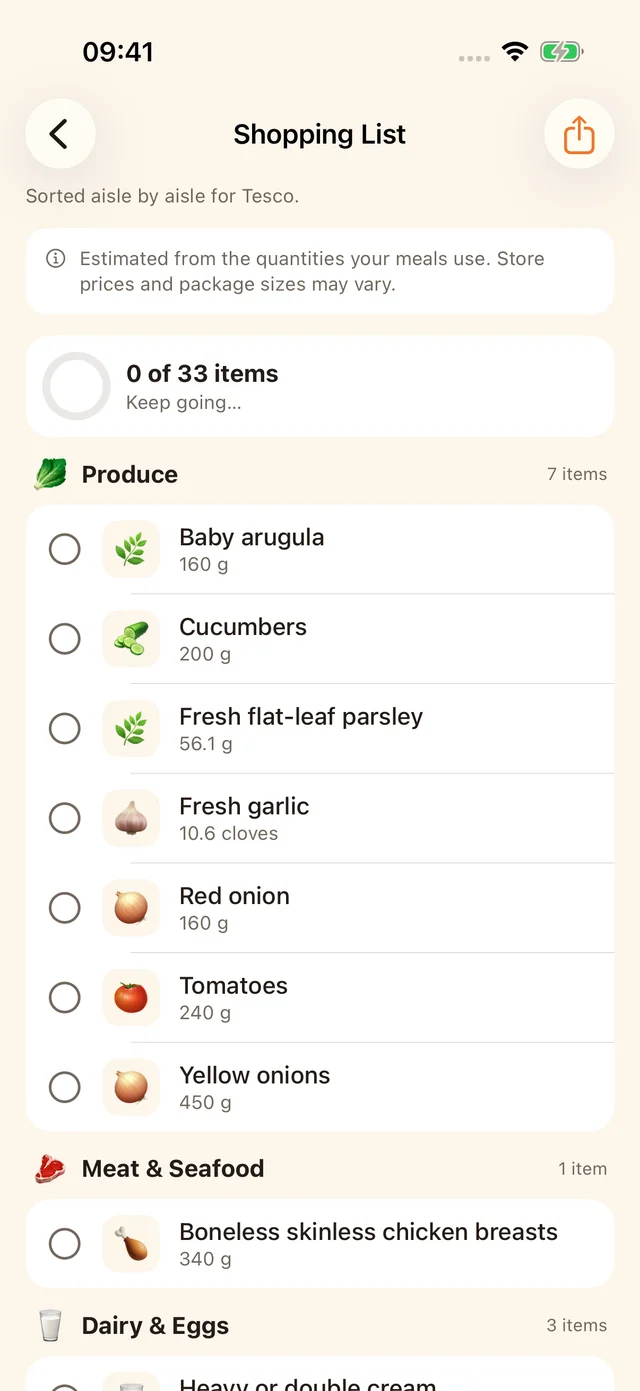
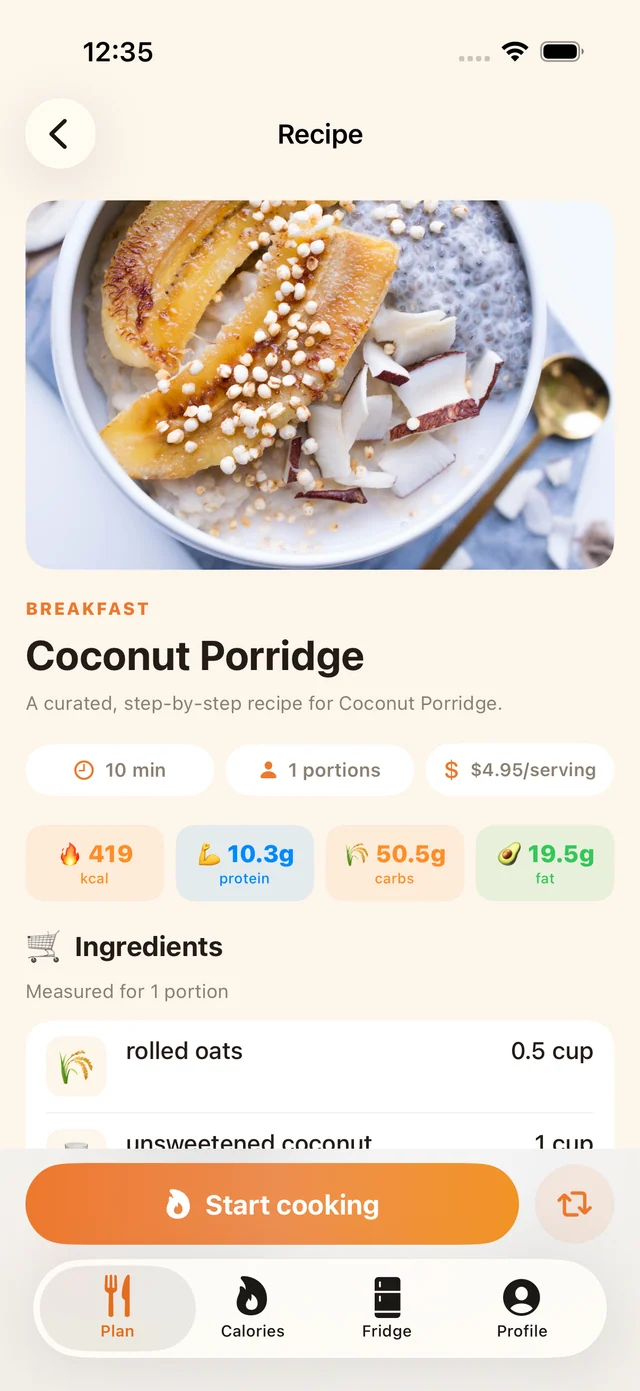
Put a number on the week.
Use the grocery budget calculator to see USDA food-at-home benchmarks for your household, then price a sample shopping list from recorded Walmart product prices. The list estimate is a planning aid, not a live quote for your local store. Your real checkout amount depends on products, pack sizes and where you shop.
For a worked example, see our five-lunch shopping plan. It shows a specific basket rather than promising that every household can buy a full week of food for the same amount.
Check whether MealPot fits your household.
- Devices: iPhone and iPad, iOS/iPadOS 17 or later.
- Price: free download; Pro is required for full meal planning and recipe-link import. Check the App Store listing for current local pricing.
- Store: review the list and shop at the store you choose. A recorded price estimate is not an order or a stock guarantee.
- Bringing recipes: individual recipe links can be imported with Pro after review. If you are leaving Mealime, our free browser backup makes a readable copy; it does not transfer your whole account.
Common questions.
Is there a meal planning app that makes a grocery list?
Yes. MealPot connects a weekly meal plan to a grouped grocery list on iPhone and iPad. Review the plan, servings and ingredients before shopping. Full meal planning requires Pro.
Can I use MealPot on Android?
No. MealPot's app is for supported iPhone and iPad devices. For other platforms, compare the documented options in our meal-planner guide.
Does the list show live prices at my store?
No. Our separate grocery cost estimator uses recorded national product prices. Your store's app or shelf label is the source for live local prices.
Can I add my own recipes?
MealPot Pro can import an individual recipe link. Check the resulting servings, ingredients and cooking instructions before saving and planning with it. It does not import an entire Mealime account.
Make a week you can actually shop.
Start with your household and check the meals and list before heading out. Full meal planning requires Pro.