Moving on from Mealime? Start here ↗

LEAVING MEALIME?

Keep your
favourites.

Keep the dinners you love—and the little changes that make them yours.

Start with your saved favourites. Collect their links and your own cooking notes, then choose where to keep and cook them next.

Get MealPot for iPhone ↗

See the import steps first →

Recipe import requires MealPot Pro · One recipe at a time

Make a free browser backup →

Watch on its own page
From saved to served. Watch a Mealime recipe arrive in MealPot in this 20-second edit. Read the description ↓

FIRST, FIND YOUR COLLECTION

Start in Favorites, then check what is missing.

Mealime has announced that its app will close on 21 October 2026. Its official notice says the recipes will continue in Meals Hub; it does not promise that your personal favourites list or recipe notes will transfer.

  1. Open Favorites in Mealime. Open each recipe you want to keep and record its exact title. The heart or Favorite icon marks a recipe for this collection.
  2. If you are looking inside the meal planner, check the filter. Mealime documents the route as search (the magnifying glass) → Your Favorites. That view only includes recipes matching your current eating preferences. A missing pasta dish after a switch to gluten-free may be filtered out, rather than removed from your collection. Return to the main Favorites section to check.
  3. Check your current meal plan too. Add a dish you would miss to your record even if you never marked it as a favourite.

These Favorites and planner-filter instructions come from Mealime’s help article, updated 12 October 2020; labels and placement can differ in newer versions.

Keep your regular dinners first.

Work through three groups: meals you cook often, occasional favourites you would miss, and recipes you saved but have never tried. Start with the first group so your next week of dinners is covered. Within it, prioritise dishes with personal notes that would be hard to reconstruct.

Use the same four checks for each dish. A saved link helps you find a recipe; a downloaded copy gives you the recipe content. Mark a dish finished only after opening the saved copy and checking its ingredients and method.

Choose what you want to keep.

A readable backup

Use the free browser backup to preview recipes and download TXT or JSON, without a MealPot account. Check the preview for missing amounts. Keep your personal notes alongside the download.

The files are a separate backup, not a MealPot app import format.

Your recipes in MealPot

With MealPot Pro, use Recipes → + → Import Recipe. Paste one original recipe link, review the result, then Save to My Recipes.

Check servings, quantities and steps against the original before planning dinner. Follow the illustrated import guide →

START WITH ONE DISH YOU LOVE

Make the first saved recipe useful.

01

Copy its link.

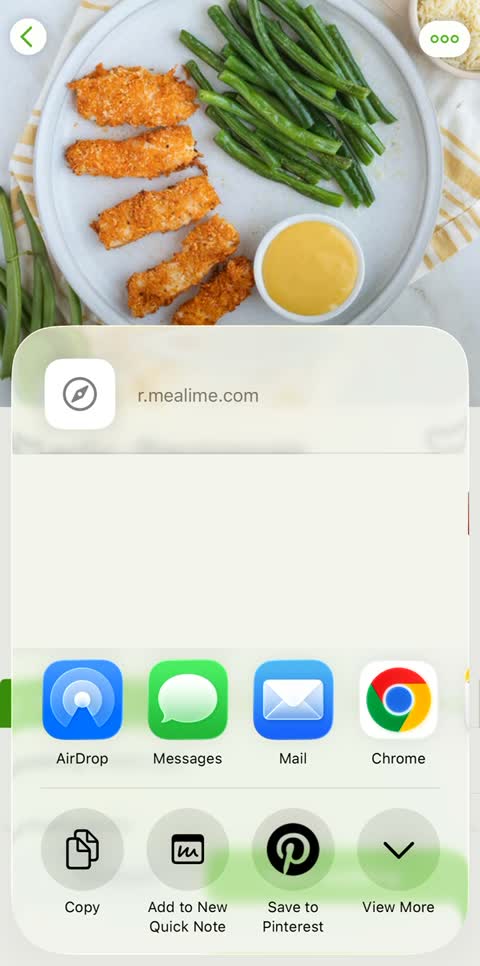
Open the favourite in Mealime. Tap the three dots, choose Share and tap Copy. Record the title and your notes.

02

Check the recipe.

Paste the link into MealPot’s Import Recipe screen. Compare amounts, servings and steps with Mealime, correct anything missing, then save.

03

Make it part of your week.

Open the saved recipe again before adding it to your plan. Review the shopping list against your chosen portions and what you already have.

What the video shows.

“Saved it? Make it tonight.” Follow a chicken tenders recipe link through MealPot’s import, review and save screens. The saved recipe opens again, ready to cook. Watch the full copy-and-import walkthrough → The review includes estimated amounts: use the original recipe to check them before cooking.

Questions about keeping favourites

Why can’t I see a favourite when building a plan?

Check the main Favorites section. The planner’s Your Favorites filter applies your current eating preferences, so it can show fewer recipes than your saved collection. Mealime explains this filter in its 2020 guide.

Will saving a recipe link also save my private notes?

Keep notes separately, beside the recipe title and link. Neither the browser backup nor the individual MealPot link-import flow shown here reads your private Mealime account. Review your note when you cook from the saved recipe.

Do I need MealPot Pro to keep a backup?

No. The browser backup creates free TXT or JSON downloads. Importing an original recipe link into the MealPot app requires MealPot Pro.

Will all my favourites move to Meals Hub automatically?

The official notice promises recipe availability and says some preferences need setting up in Meals Hub. It does not establish an automatic transfer of your personal favourites or notes. Keep your own record so you can rebuild the collection.

A familiar dinner.
A fresh start for your week.

Meet MealPot ↗

Recipe import requires MealPot Pro · One recipe at a time

THE WEEKLY EMAIL

Mealime closes 21 October. Don’t think, just cook.

Five dinners every Friday morning, timed for real life: two weekend cooks that carry the week, quick weeknights, one planning tip. Useful on its own; MealPot is there when you want the week planned for you.